
CNC Machinist Calculator Ultra icon
CNC Machinist Calculator UltraShop-floor calculators + G-code

CNC Machinist Calculator Ultra

7 days free Then $1.99/mo or $19.99/yr · Cancel anytime

Cut data, thread data, and ready-to-run G-code — in one shop app.

Built for machinists, CNC operators, and manufacturing engineers. Physics-based milling and turning for 170+ materials, full thread standards, and canned cycles you can simulate before you cut. Inch and metric.

Or open the web app ($2.99/mo or $29.99/yr). Subscriptions auto-renew after the 7-day trial unless you cancel.

80+Shop calculators and references
170+Materials with hardness-tuned SFM
Inch + metricGlobal toggle on every tool
G-code simSee the path before you cut

Inside the app

The tools you actually open on the machine.

Scroll the chapters. The phone follows — mill physics, lathe cut data, thread programs, and inspection.

CNC Machinist Calculator Ultra screenshot
01 · Milling

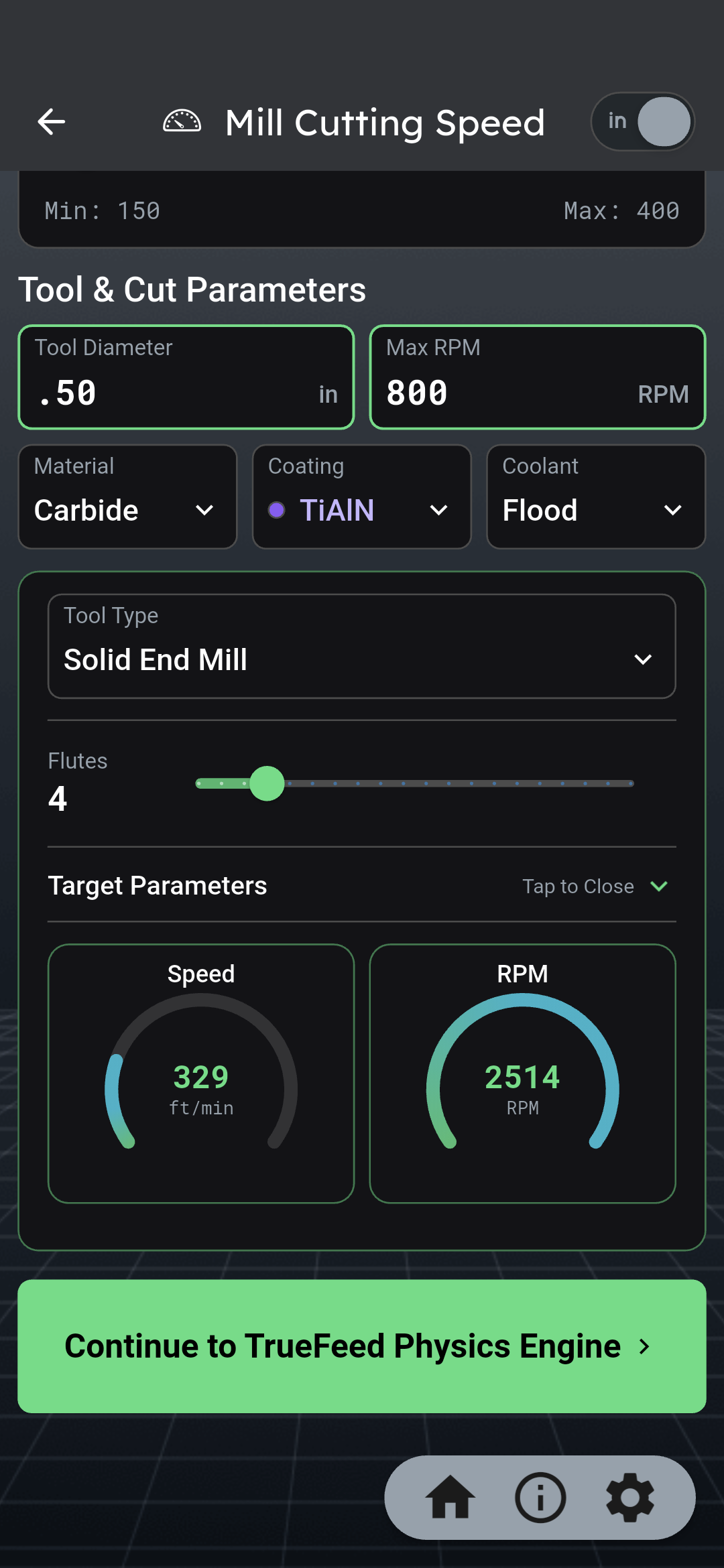
TrueFeed Physics Engine

Not a static SFM chart. TrueFeed starts from your tool, material, and engagement, then corrects chipload for the cut you are actually taking.

What it accounts for

  • Radial chip thinning at light WOC, plus axial thinning on ball endmills
  • Stick-out, shank, and core diameter for stepped-beam deflection
  • Machine HP and max feed limits that automatically pull the feed back
  • Chatter advisor — drag RPM to find stable peaks, not valleys

What you get

  • Corrected SFM, RPM, IPM, and operating chipload
  • Suggested WOC / DOC with one-tap apply
  • Cycle time from path length, rectangular pocket, or volume / MRR
  • 170+ materials, 7 tool types, inch and metric
Mill TrueFeed Physics Engine
02 · Turning

Lathe Dashboard + ISO inserts

Pick the material and hardness, build the insert, set the workholding, and the dashboard solves speed, feed, and DOC together — then tells you why.

Setup

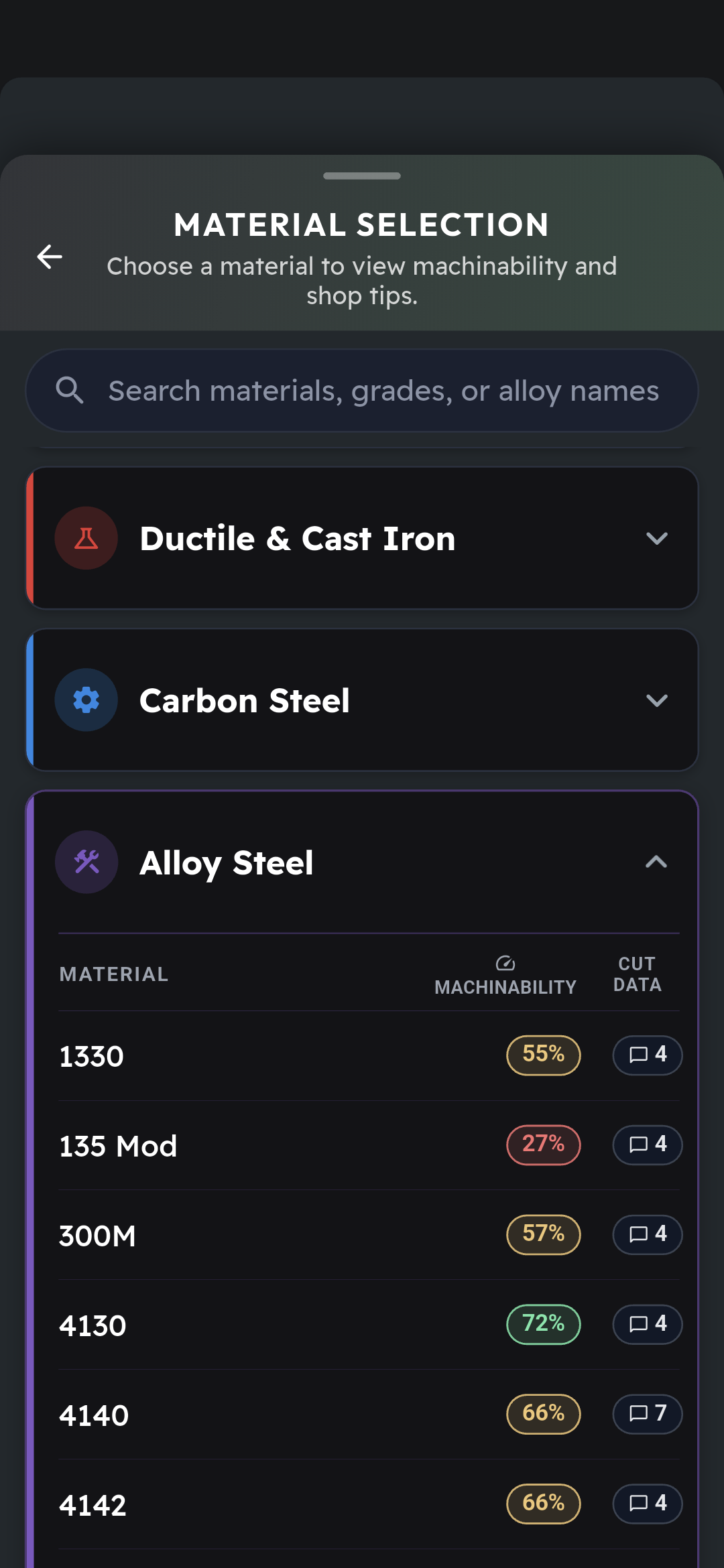
  • 170+ materials with a Brinell slider (hardness-tuned SFM)
  • Profiling, boring, grooving, or parting
  • HSS, cobalt, carbide, ceramic, or PCD — with coating and coolant
  • Live ISO insert builder (shape, IC, nose radius, chip breaker, lead angle)
  • Chuck, chuck + tailstock, or steady rest, plus machine HP / torque / feed caps

Outputs & alerts

  • SFM, RPM, IPR, DOC, cutting force, spindle HP, torque, and deflection
  • Surface-finish estimate for finishing passes (target Ra)
  • Plain-language strategy notes and warnings for L/D, overhang, and limits
Lathe cutting speed dashboard
03 · Threads

Catalog, tap drill, thread mill G-code

Look up the thread, get inspection data, then generate the program that cuts it — mill, lathe, or tap — without leaving the catalog.

Thread data

  • UNC, UNF, UNEF, UNS, UN, UNJ, M profile, NPT, ACME, Stub ACME, Whitworth, BSPP, STI
  • Special UNS / UNR with plating or anodize allowance
  • Major, minor, pitch, helix, and measurement over wires

Programs from the same thread

  • Thread mill G-code — internal or external, cutter and engagement
  • Fanuc-style G76 lathe cycle with finish passes and comments
  • G84 rigid tap with feed from pitch × RPM, optional peck and hole patterns
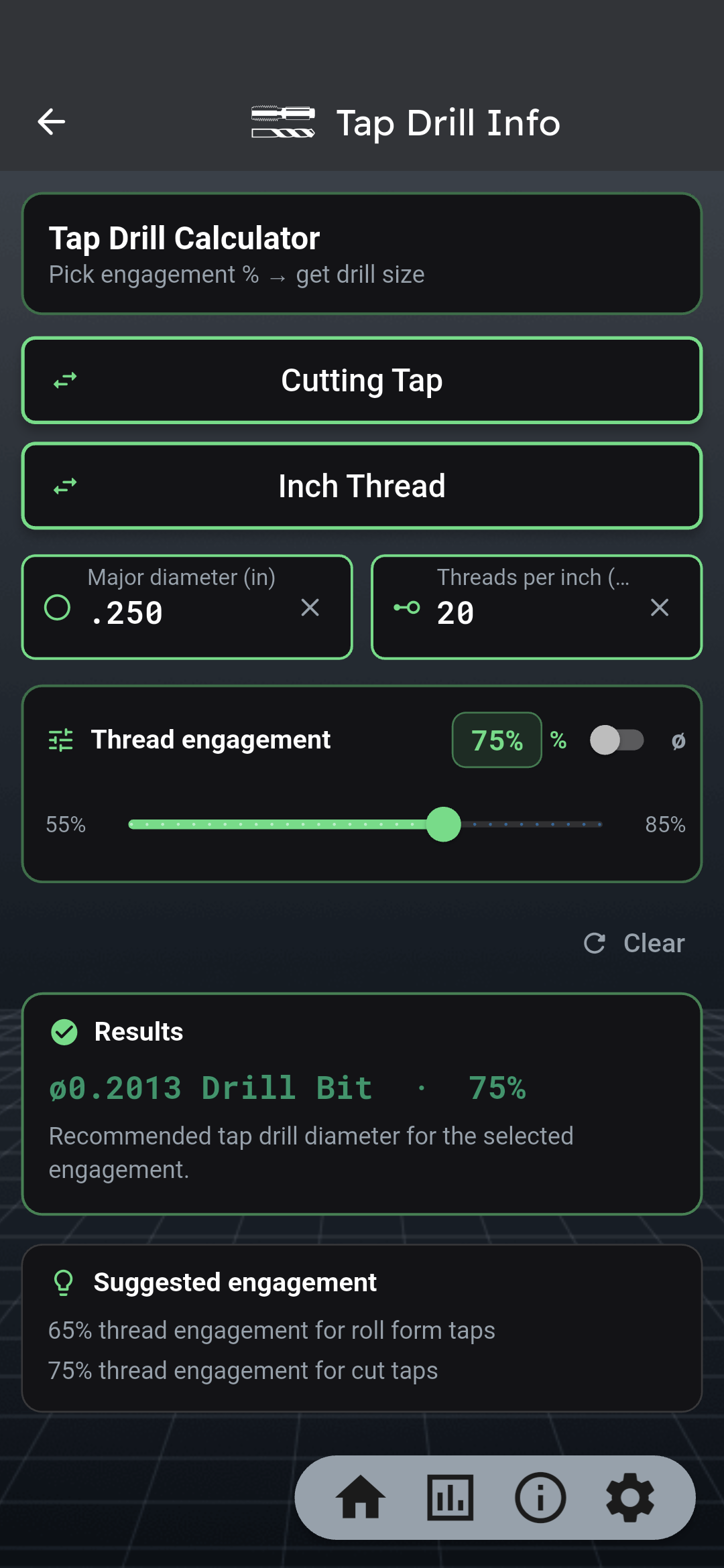
  • Tap drill size from % engagement (55–85%), cut or roll form
Thread mill G-code generator
04 · Programs

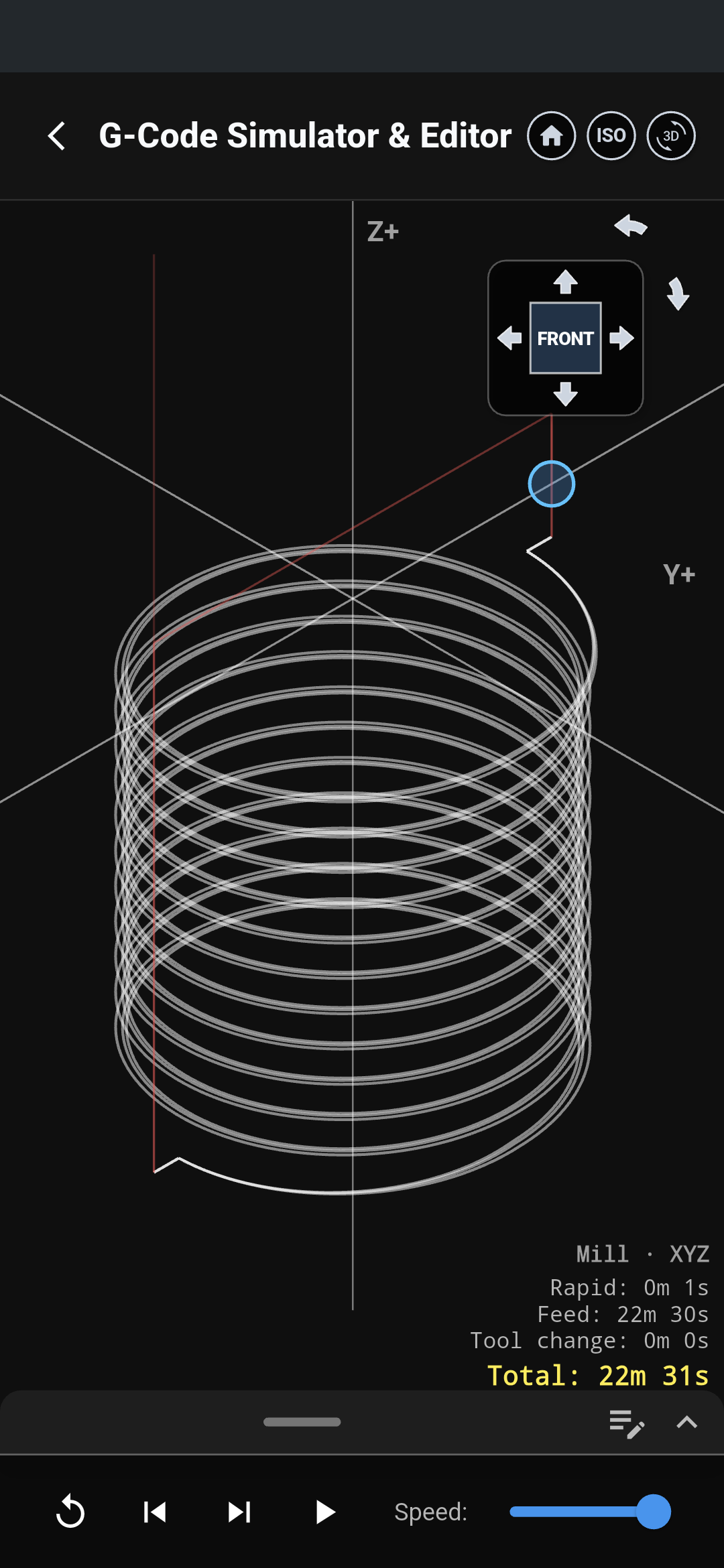
Simulate before you press cycle start

Ultra writes the code, then opens it in a built-in simulator so you can see the path and the minutes — before anyone loads the machine.

What it simulates

  • Lathe taper, chamfer, radius, and fillet programs with tool-nose radius
  • Thread mill, broach keyway, and lathe cycle output
  • Your own file — drag and drop G-code to watch it run

On screen

  • 2D and 3D toolpath with ISO / front views and playback speed
  • Rapid, feed, tool-change, and total cycle time
  • Step through the program or play it back before you cut
G-code simulator
05 · Holes

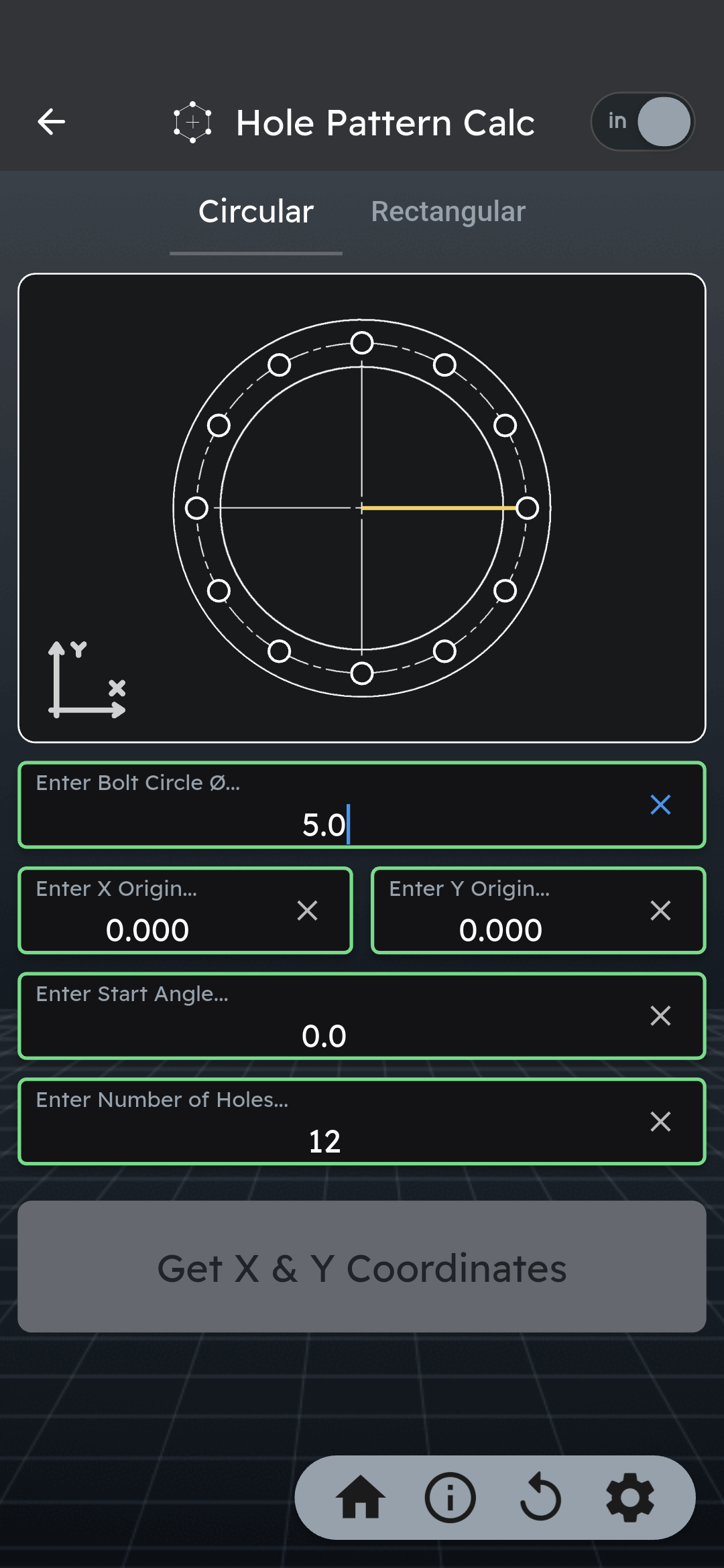
Bolt circles that become cycles

Enter the pattern once. Get coordinates you can copy — or a full drill / tap canned cycle for every hole.

Patterns

  • Circular: bolt-circle diameter, X/Y origin, start angle, hole count
  • Rectangular: hole counts and spans on X and Y
  • Download, copy, or share the coordinate list

Straight into the program

  • G81 drill, G82 dwell, G83 peck, or G73 high-speed peck
  • G84 tap cycles from the same pattern
  • Pairs with drill S/F, gun drill (R1–R10 noses), reamer, center-drill Z, and SHCS holes
Bolt hole pattern calculator
06 · Inspection

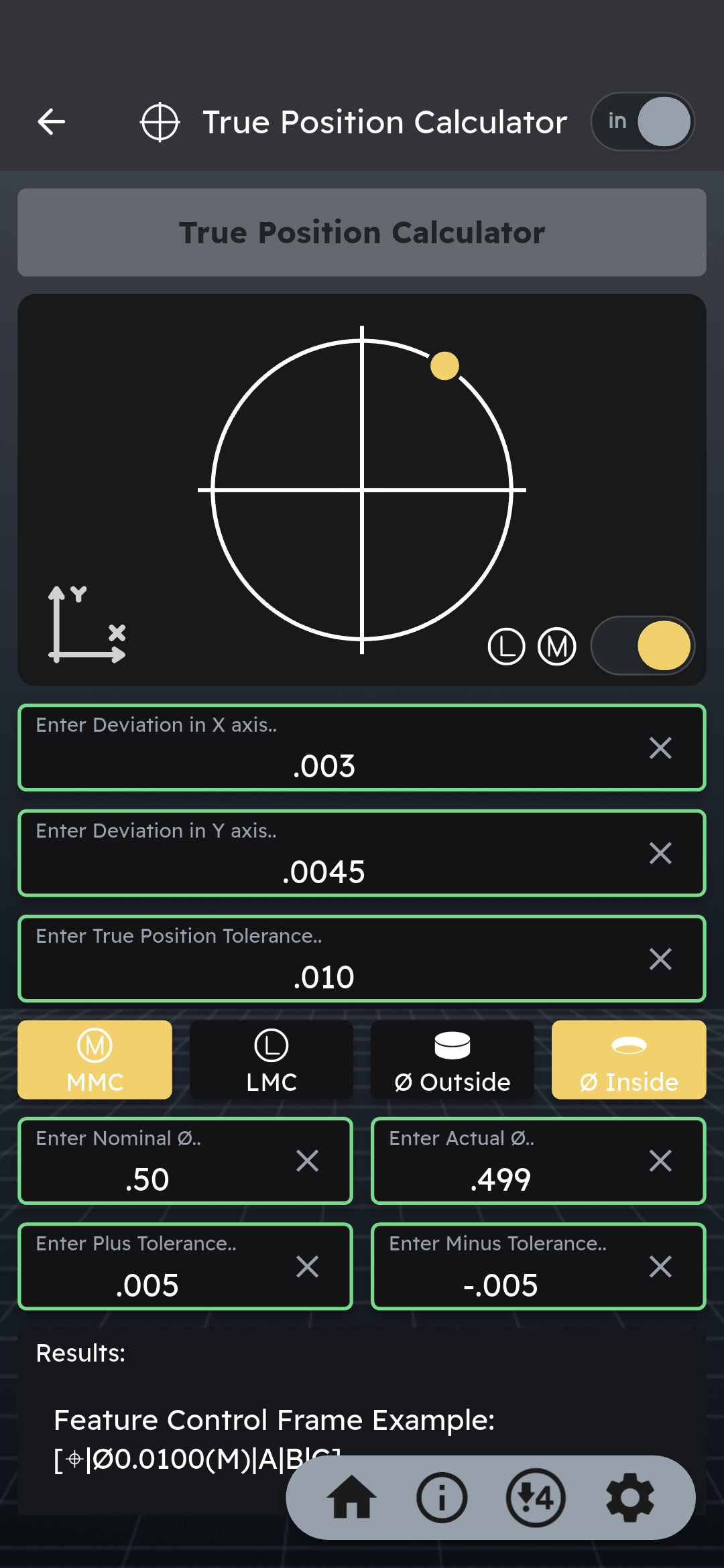
True position, bonus, and GD&T

Enter the X and Y miss and see the diametral true position, the bonus, and the feature control frame — in shop language, not handbook language.

True position

  • X/Y deviation to diametral true position
  • MMC or LMC bonus from nominal vs actual diameter
  • Inside or outside feature, live plot of the miss
  • Feature control frame example you can read on the print

Also in this toolkit

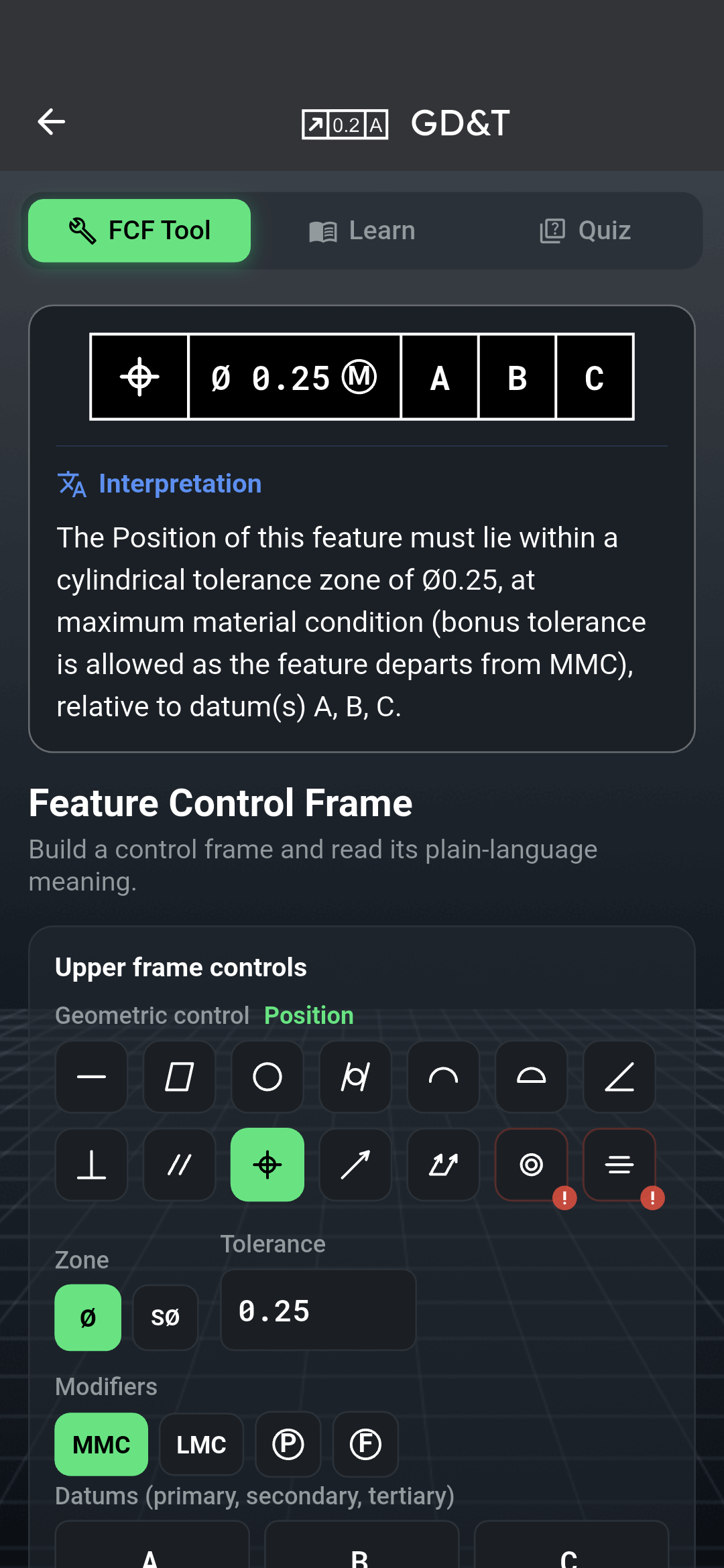
  • GD&T Learning Center — symbols, quiz, and an FCF builder with plain-language meaning
  • ISO 286 hole/shaft fits, gage-block stack builder, height over ball, sine bar
True position calculator

Major calculators

Six jobs. Seventy-three tools behind them.

M

Milling — TrueFeed

Physics-corrected feeds for the cut you are actually taking.

  • Mill dashboard + chip thinning
  • Ball effective diameter & cusp
  • Slitting saw, adaptive corner feed
  • Endmill runout limits
T

Turning — Lathe Dashboard

Material, insert, workholding, and machine limits in one pass.

  • SFM / RPM, IPR / IPM
  • ISO insert builder
  • Groove, cutoff, and rough time
  • Boring-bar deflection, C-axis feed
#

Threads & tapping

Dimensional data and the programs that cut them.

  • UNC, UNF, UNJ, M, NPT, ACME, Whitworth, STI
  • Tap drill by % engagement
  • Thread mill, G76, G84
  • Over-wire and plating allowance
H

Holes & patterns

From drill point length to a full canned cycle.

  • Drill S/F + G81–G83 / G73
  • Gun drill noses R1–R10
  • Reamer, center-drill Z-depth
  • SHCS holes, bolt / rectangular patterns
G

Programs & CAD

Leave the machine with code, not a screenshot of numbers.

  • Lathe taper / chamfer / radius G-code
  • Broach keyway programs
  • 2D CAD + DXF, gears & splines
  • ISO insert catalog
I

Inspect, grind, shop

The handbook pages you used to flip — searchable, on the bench.

  • True position, ISO 286 fits
  • Gage blocks, sine bar, height over ball
  • Surface finish, grinding hub, weight
  • G/M codes, macros, hardness
See the full tool list
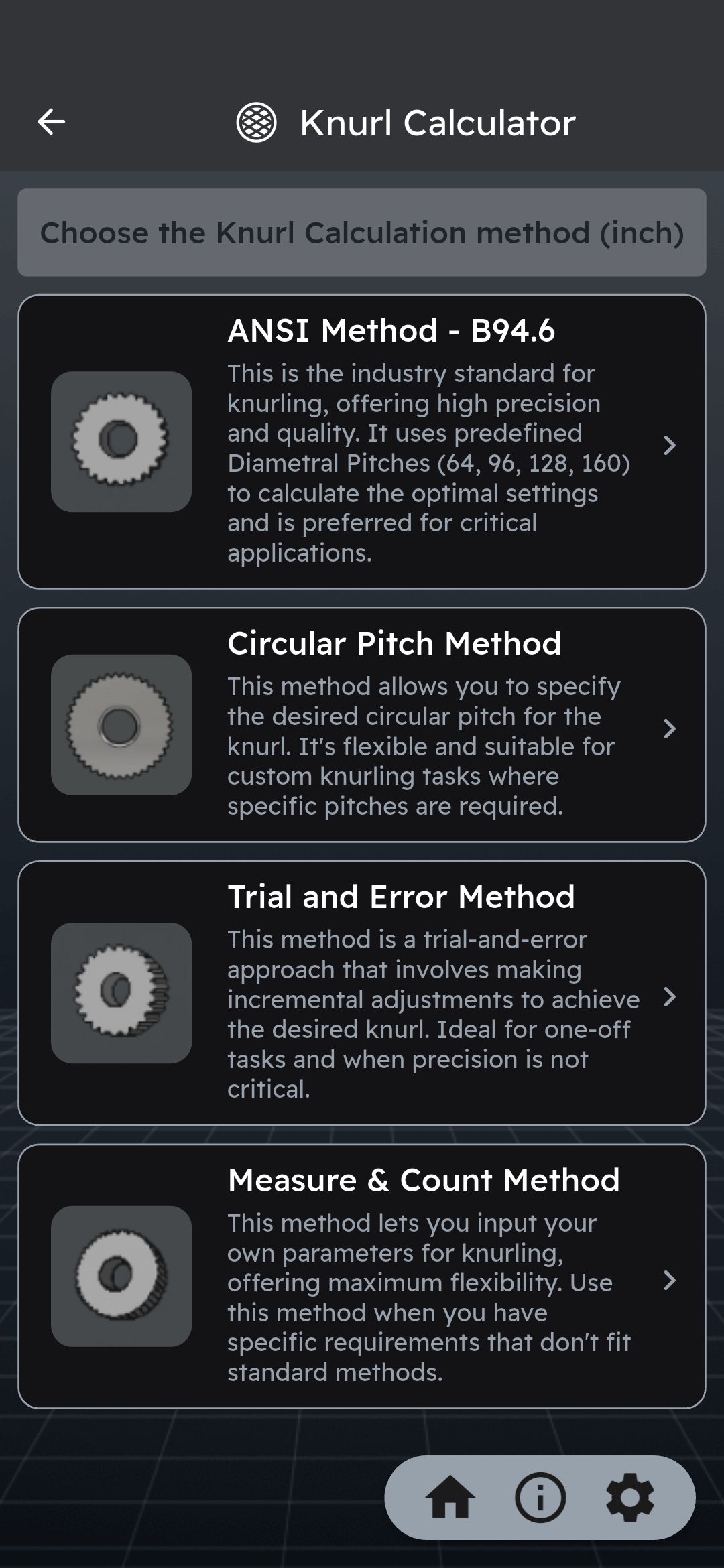
Lathe taper programming Ball endmill effective diameter Mill / lathe spindle conversion Endmill runout Slitting saw S/F Height over ball Sine bar Tapping speeds MRR & horsepower Premium lathe dashboard Premium mill / TrueFeed Drilling + canned cycles Gun drill + nose grinds Thread catalog & specials True position + bonus Bolt / rectangular patterns Surface finish Drill & tap charts Center drill depth Unit + hardness converters G-codes & M-codes GD&T + Learning Center SFM data, 170+ materials Tap drill calculator Geometry + triangle solver Broach program + deflection Macro variables Material weight Brain Check quiz SHCS hole dimensions Scientific calculator Thermal expansion Grinding suite Gage block stack Knurl (4 methods) Thread mill G-code ISO fits Machinist Assistant Reamer S/F Boring bar deflection ANSI / SAE / ISO splines G76 & G84 from catalog Coolant concentration C-axis feed Bandsaw cut time Formula library (172) 2D CAD & DXF G-code simulator Spur gear CAD Insert catalog Tool wear reference Material chemistry Arc calculator Shared shop cut data

Also on the shop floor

Training and reference, not just numbers.

13 languages 172-formula library GD&T Learning Center Brain Check · 200+ questions 1,500+ machinist tips Favorites + function search

Pricing

Try it 7 days. Then less than a coffee.

iPhone and Android prices below. Subscribe with a 7-day trial, or buy lifetime on mobile. Cancel a trial in Settings before it ends and you will not be charged.

Monthly

$1.99 / month

7-day free trial, then $1.99 per month. Cancel anytime.

Lifetime

$39.99 once

Mobile only — iPhone and Android. One-time purchase, no subscription. Includes the offline data pack. Not available on the web app.

Prefer the browser? The web app is billed separately: $2.99/month or $29.99/year, each with a 7-day free trial. There is no lifetime plan on the web.

FAQ

Straight answers before you tap download.

Does the 7-day trial require a payment method?

Yes. Apple and Google collect a payment method to start the trial. Cancel at least 24 hours before day 7 and you will not be charged.

Is this the old CNC Machinist Calculator Pro app?

Ultra is the rewrite. It keeps the Pro toolkit and adds the mill/lathe physics dashboards, thread-mill and canned-cycle G-code, CAD/DXF, GD&T training, and the G-code simulator.

Does it do inch and metric?

Yes. A global inch/metric toggle drives every calculator.

What is the $39.99 lifetime option?

A one-time $39.99 purchase in the App Store or Google Play — not a subscription, and not available on the web app. You keep the full mobile app, and lifetime includes the offline data pack so you can run the tools without Wi-Fi or cell data.

Can I use it in a browser?

Yes — cncmachinistcalculatorultra.com. Web pricing is $2.99/month or $29.99/year with a 7-day free trial. It is billed separately from the mobile stores, and lifetime is not offered on the web.

Download

Download Ultra. Try it 7 days. Cut with numbers you trust.

App Store and Google Play. Same 7-day free trial on monthly or yearly.

Prefer desktop? The web app is $2.99/mo or $29.99/yr.

Start 7-day free trial